


Why Battery and Inverter Compatibility Matters
Why Battery and Inverter Compatibility Matters
A home energy storage system can have a high-capacity battery and a powerful inverter and still fail to deliver the expected performance. The reason is often not the rating of either product on its own, but how the two devices work together.
The battery and inverter need to operate within compatible voltage and current limits. Their charging and discharging settings must be suitable for the battery, and their communication functions must work correctly when the system relies on BMS communication. If one of these requirements is overlooked, an installation may experience charging interruptions, unexpected shutdowns, inaccurate battery readings, or additional commissioning work.
For solar distributors, wholesalers, and installers, these issues can become expensive when they are discovered after delivery. Checking the combination before ordering is usually easier than trying to resolve a mismatch on site.
This guide covers the main points to check when pairing a LiFePO4 battery with a residential inverter, from voltage and communication to power requirements, protection settings, and supplier documentation.
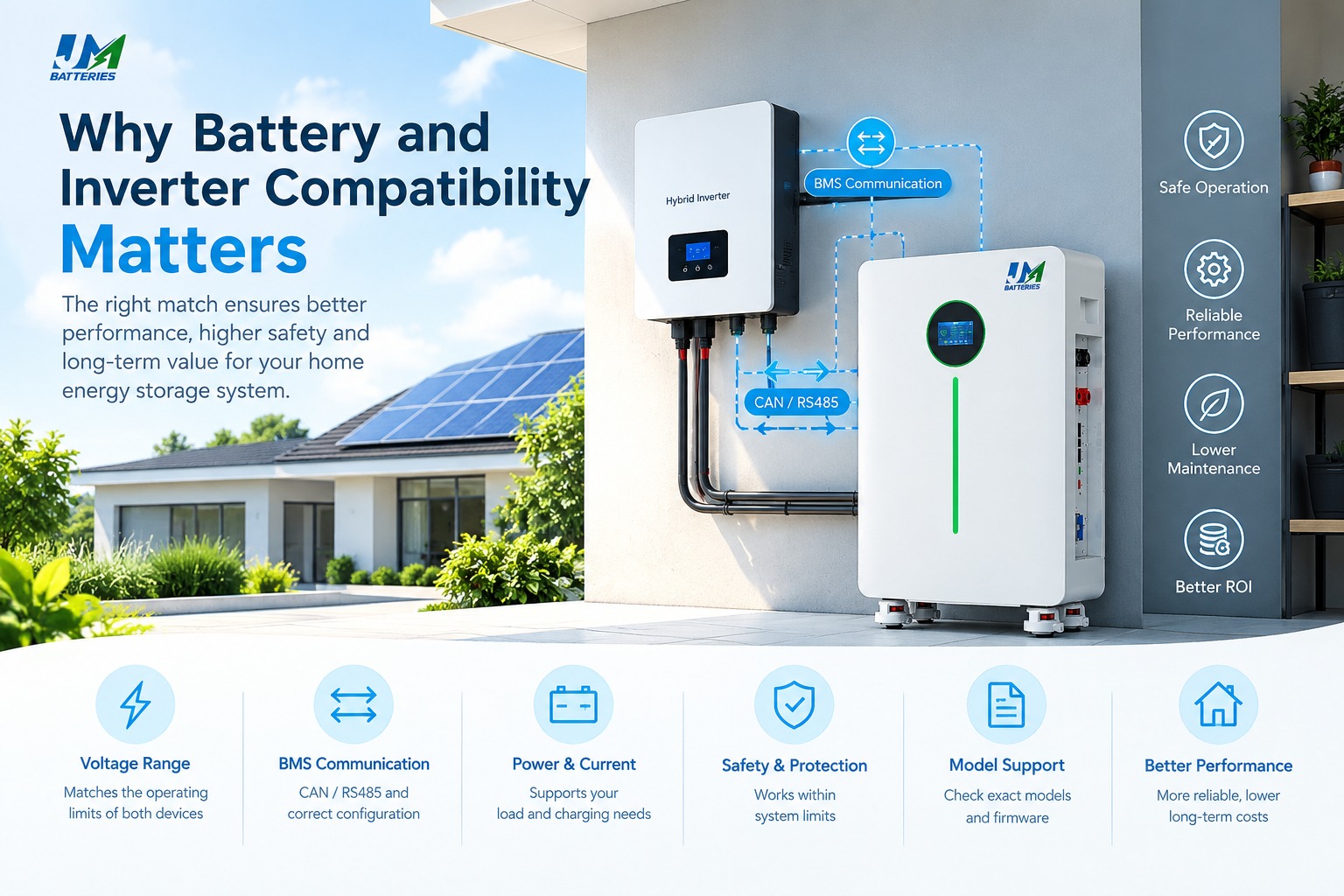
In brief: A battery and inverter should be evaluated as a system, not as two separate products. Check their operating voltage ranges, charge and discharge limits, power requirements, BMS communication, and model-specific support before committing to a purchase.
1. What Battery and Inverter Compatibility Really Means
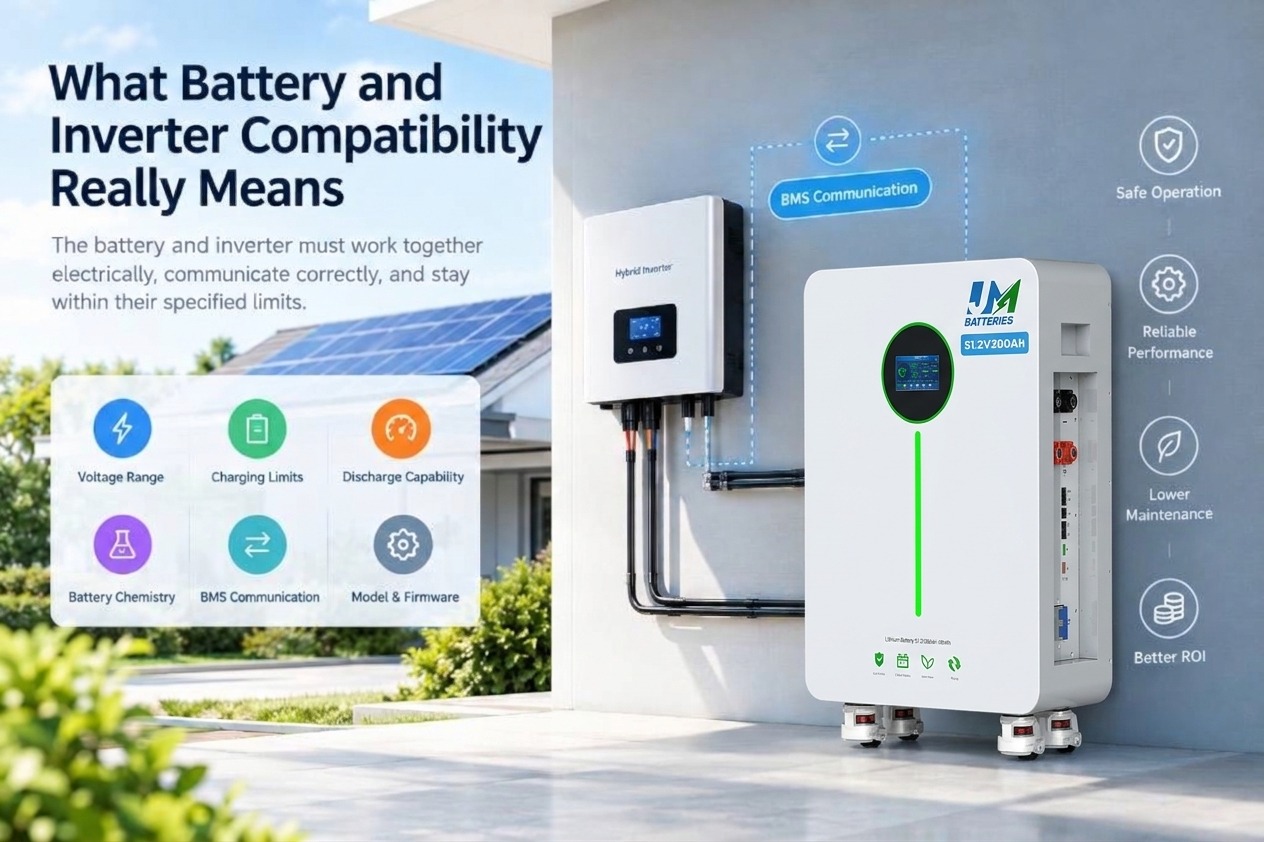
Compatibility is more than a shared voltage label or a connector that fits. It means the battery and inverter can perform their intended functions together while staying within the limits specified by their manufacturers.
Several details need to line up:
- Electrical voltage: The battery's operating range must fall within the inverter's supported DC input range.
- Charging requirements: The inverter must be able to use suitable charging settings and respect the battery's voltage and current limits.
- Discharge capability: The battery must supply the current required by the inverter under the intended load conditions.
- Battery chemistry: Charging behavior and control settings must suit the battery's chemistry and manufacturer recommendations.
- Communication: Where BMS communication is used, the devices must support a compatible protocol and configuration.
- Model support: Compatibility may depend on the exact battery model, inverter model, firmware, and approved operating mode.
These requirements are related, but they are not interchangeable. A battery may have the correct voltage range and still be unsuitable for an inverter that cannot communicate with its BMS in the required mode. Likewise, two devices may communicate successfully but have insufficient current capability for the intended load.
This is why it is risky to choose equipment based on a product title alone. A description such as “48V lithium battery” does not provide all the information needed to approve a specific inverter combination.
Hybrid inverters introduce another consideration: the system may need to coordinate battery operation with solar generation, household loads, and grid charging. The details depend on the inverter design and the intended installation.
For a related overview, read our guide to hybrid inverter and LiFePO4 battery compatibility.
2. Check the Voltage Range, Not Just the Label
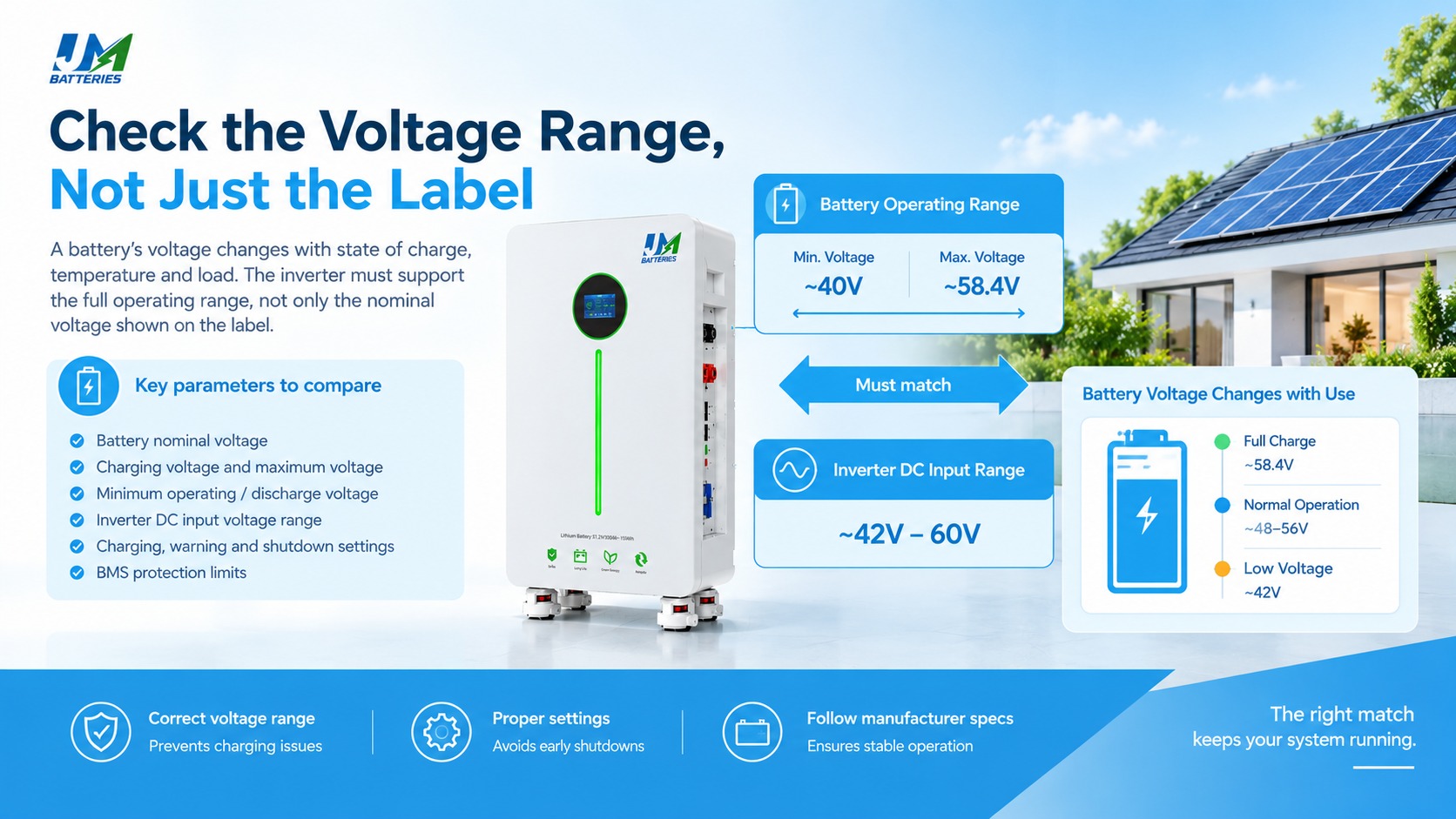
Voltage is a sensible place to start when evaluating a battery and inverter, but nominal voltage tells only part of the story.
A battery's terminal voltage changes as it charges and discharges. Temperature, current, state of charge, and the battery's design can also affect its operating voltage. The inverter must support the relevant voltage range throughout normal operation, not just at one point.
Why a 48V label is not enough
A 51.2V LiFePO4 battery is commonly described as a 48V-class battery. That does not automatically mean it will work with every inverter marketed for a 48V battery system.
Before selecting the combination, compare the following specifications:
- The battery's nominal voltage and documented operating range.
- The manufacturer's recommended charging voltage and maximum permitted charging voltage.
- The battery's specified lower operating or discharge voltage.
- The inverter's supported DC battery voltage range.
- The inverter's configurable charging, warning, and shutdown thresholds.
- The battery BMS protection limits and the inverter's response when a limit is reached.
These figures should come from the documentation for the exact products under consideration. Settings from a different battery model should not be copied simply because both batteries have the same nominal voltage.
What a voltage mismatch can look like
Consider a system that stops charging before the battery reaches the expected state of charge. One possible cause is a charging-voltage setting that does not suit the battery. If the BMS detects a condition outside its permitted limits, it may restrict or interrupt charging.
A different problem can occur during discharge. If the inverter's low-voltage cutoff is set too high, the system may stop using the battery earlier than the owner expects. If the cutoff is set too low, the inverter may not respond as intended before the battery reaches a protection threshold.
Neither symptom proves that the battery itself is faulty. The installer should compare the actual voltage readings, configured thresholds, BMS status, and manufacturer recommendations before replacing equipment.
Voltage settings should never be adjusted simply to suppress an alarm. Use the documented configuration for the approved battery and inverter combination.
3. BMS Communication: CAN, RS485, and Configuration
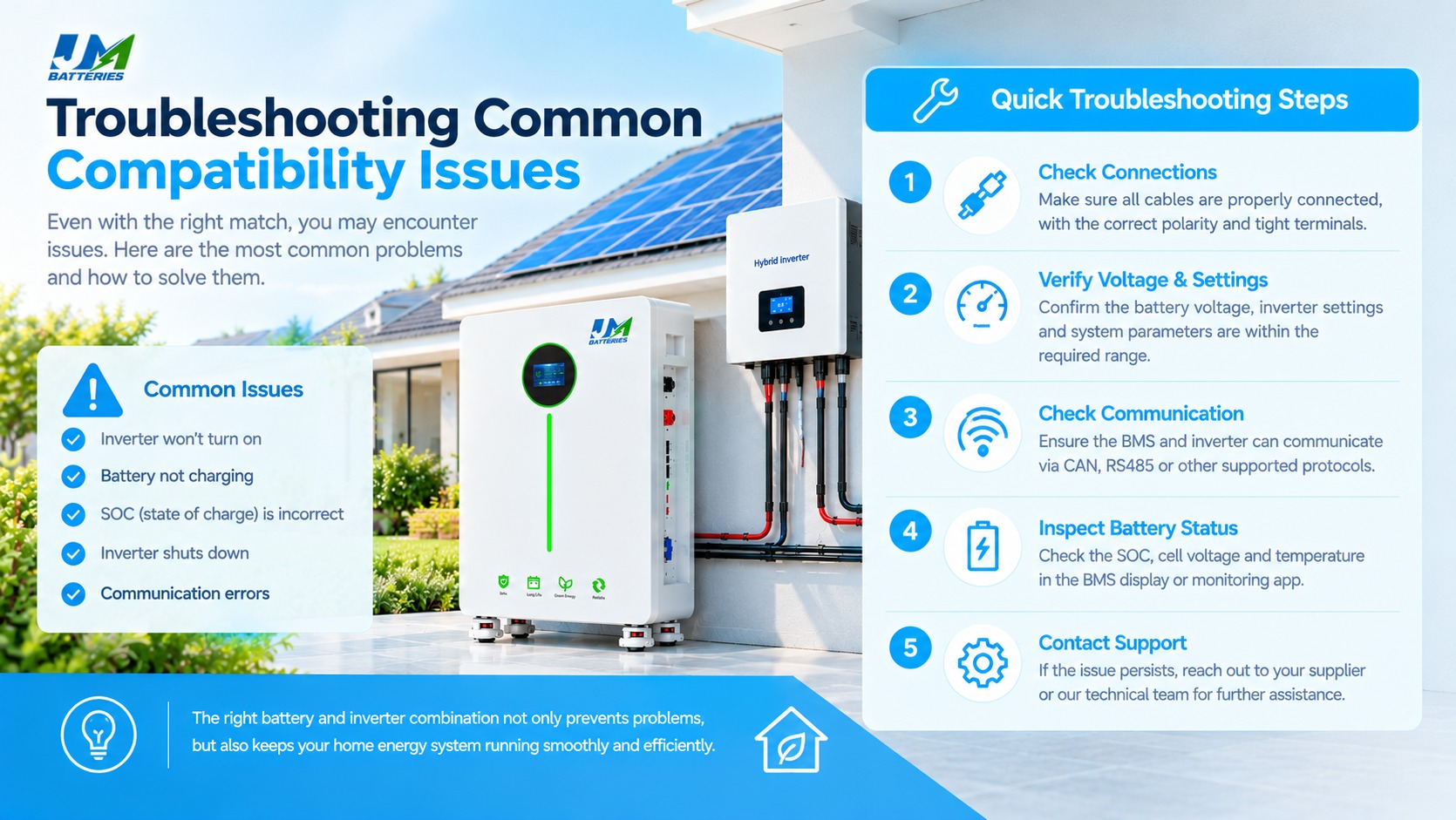
The battery management system (BMS) monitors battery operating conditions and provides protective functions. Depending on the battery design, it may monitor cell voltage, current, temperature, and other parameters.
When the battery and inverter support closed-loop communication, the BMS can also provide information used by the inverter to manage charging and discharging. This helps the inverter respond to the battery's reported limits rather than relying only on fixed voltage thresholds.
Having the same port does not guarantee communication
CAN and RS485 are common communication interfaces in residential energy storage systems. However, two devices having CAN ports does not mean they use the same protocol. The same caution applies to RS485.
Successful communication may depend on several details:
- The protocol supported by both manufacturers.
- The correct communication port on each device.
- The cable pinout and wiring arrangement.
- The selected battery type or communication mode in the inverter.
- Required communication parameters or device addressing.
- Firmware versions and model-specific compatibility requirements.
A cable may fit physically but still have the wrong pin assignment. Choosing a protocol that is supported by one device but not the other will not establish the intended link. For this reason, installers should use the documented cable and connection instructions rather than assuming that a standard network cable will work.
Closed-loop and open-loop operation
In a closed-loop system, the battery BMS and inverter exchange supported operating information. Depending on the implementation, this may include battery status and permitted charging or discharging limits.
An open-loop configuration may instead rely on inverter settings such as charging voltage and low-voltage cutoff, without the same level of live BMS information. Whether this is acceptable depends on the equipment and the manufacturers' instructions.
Do not assume that open-loop operation is supported just because the inverter can produce power from the battery. Some products require a particular communication arrangement, and operating without it may restrict functions or fall outside the approved configuration.
When a communication alarm appears
A communication alarm can have more than one cause. The cable may be connected to the wrong port, the protocol may be incorrectly selected, or the equipment may not support the chosen combination. A battery that has entered a protective state may also stop providing normal communication.
A sensible first check is to confirm that the battery is powered on, inspect the BMS alarm indicators, verify the cable and port assignments, and compare the selected protocol with the manufacturer's instructions. Firmware and model support should then be checked where relevant.
Changing several settings at once can make the fault harder to identify. Work through the documented checks in order and record any changes made during commissioning.
If you need to explain battery monitoring to customers, see our article on how battery state of charge (SoC) works.
4. Battery Capacity, Inverter Power, and Current
Another common selection mistake is to treat battery capacity and inverter power as if they measure the same thing. They do not.
Battery capacity is usually expressed in kilowatt-hours (kWh), which describes stored energy. Inverter output power is expressed in kilowatts (kW), which describes how much power it can deliver at a given time.
A large battery may provide substantial energy over several hours but still have a limited maximum discharge current. Conversely, an inverter may have enough AC output capacity for a household's peak demand but require more DC current than the selected battery can safely supply.
Estimate the battery-side current
A useful first estimate of DC current is:
Estimated DC current (A) = DC power (W) ÷ battery voltage (V)
For example, a hypothetical 5,000W DC power requirement at 50V gives an estimated current of 100A. This calculation illustrates the relationship between power, voltage, and current; it is not a specification for any particular product.
In a real installation, the required current may be higher because of conversion losses and changes in battery voltage. Use the inverter's documented input requirements and efficiency information when assessing the final system.
Check continuous and peak limits separately
Some inverters can supply short bursts of power above their continuous output rating. Batteries and BMS units may also have separate continuous and peak discharge limits, sometimes with specific time restrictions.
These ratings must be compared carefully. A battery's short-duration peak rating should not be treated as its continuous operating capability, and an inverter's surge rating should not be assumed to be available indefinitely.
This matters in homes with appliances that have high starting currents. A system might handle lights, routers, and other small loads comfortably but experience a shutdown when a larger appliance starts or several loads operate at once.
Charging capacity matters, too
Compatibility is not only about supplying power to household loads. The battery must also be charged within its specified limits.
If the inverter can deliver more charging current than the battery permits, its charging limit must be configured appropriately. Where several charging sources are involved, the installer should consider how the system controls their combined contribution to the battery.
The final system design should account for usable battery energy, continuous and peak discharge capability, charging limits, inverter output, and the expected load profile. A kWh rating alone cannot establish whether the battery will support a particular inverter.
For a closer look at inverter sizing, read our guide to sizing an inverter for a 48V battery.
5. Protection Settings and System Safety
The BMS and inverter have different protection responsibilities. The battery BMS may monitor cell-level conditions and restrict or disconnect the battery when a specified limit is reached. The inverter has its own protection functions for the DC input, AC output, temperature, and other operating conditions.
These functions are designed to work within the limits of the equipment. Neither device should be treated as a substitute for the other's protection system.
Repeated trips should be investigated
If an inverter repeatedly requests charging or discharging beyond the battery's permitted limits, the BMS may intervene. The result may be an unexpected shutdown, a warning, or a cycle of interruptions that makes the system difficult to use.
Repeated protection events should be treated as symptoms that need investigation. Disabling a protection function or changing a setting beyond the manufacturer's recommendation may hide the original problem rather than solve it.
Correct installation remains essential
Even a supported battery and inverter combination requires proper installation. Cable sizing, connection quality, overcurrent protection, isolation, grounding, ventilation, environmental conditions, and local electrical requirements all need to be addressed.
Systems with multiple batteries need additional checks. The installer should confirm the permitted number of units, connection arrangement, current-sharing requirements, communication configuration, and any restrictions on mixing battery models or capacities.
Compatibility is therefore one part of a safe system design, not a substitute for following the installation manuals and applicable electrical standards.
For further guidance, read our home energy storage battery safety guide.
6. Three Illustrative Compatibility Scenarios
The following examples are hypothetical scenarios intended to explain common issues. They are not actual JM Energy Tech customer cases or verified combinations of specific products.
Scenario 1: The voltage labels match, but the settings do not
A distributor selects a battery and inverter because both are marketed for a 48V-class system. During commissioning, the installer finds that the inverter's supported operating range or charging settings do not align with the battery's specifications.
The system may stop charging earlier than expected or trigger a battery protection event. The important lesson is to compare the documented voltage ranges and settings before ordering, rather than relying on the nominal voltage label.
Scenario 2: The communication cable fits, but the inverter cannot read the battery
An installer connects the battery and inverter using a cable that fits both communication ports. The inverter nevertheless reports a communication error.
The problem could be related to the protocol, cable pinout, port selection, firmware, or unsupported model combination. Checking the manufacturer's instructions and compatibility information is more useful than repeatedly swapping cables without a clear diagnostic process.
Scenario 3: There is energy left in the battery, but the system shuts down
A homeowner chooses a battery with sufficient nominal energy for the expected backup period. The inverter can supply the planned household loads, but the system shuts down when several appliances run together.
One possible explanation is that the battery or BMS has reached its permitted discharge-current limit. In this case, adding more kWh capacity alone may not resolve the issue. The installer needs to examine the battery's discharge capability, the inverter's DC demand, and the load profile. Any expansion should follow the battery manufacturer's approved configuration.
7. The Effect on Reliability and Ownership Costs
A system can pass its initial startup checks and still be inconvenient to operate if the battery and inverter are not configured appropriately. Compatibility affects more than commissioning: it can influence day-to-day availability, troubleshooting, and the support required after installation.
Usable energy and system availability
Incorrect voltage thresholds or communication-related restrictions can prevent a battery from being used as expected. An owner may see energy remaining on the battery display while the inverter has already stopped discharging.
That does not necessarily mean the battery has lost capacity. The cause could be a configured cutoff, a protection event, a current limit, or another system condition. Diagnosis should be based on the actual readings and equipment documentation.
Operating conditions and battery life
Battery lifespan depends on several factors, including cell quality, temperature, depth of discharge, current, charging practices, and the number and nature of operating cycles. An incorrectly configured inverter can contribute to operation outside the battery's recommended limits or cause avoidable interruptions.
However, compatibility alone cannot guarantee a longer service life or a specific number of cycles. The practical objective is to keep the system within the manufacturers' operating requirements and avoid repeated protection events.
Warranty and after-sales support
Battery and inverter manufacturers may publish approved combinations, required settings, and installation conditions. These details can also affect how a support issue is investigated.
For a distributor, an unsupported combination can create uncertainty over which supplier should resolve a problem. For an installer, it may mean extra site visits, additional testing, or a delayed handover to the customer.
Keeping model numbers, technical documents, compatibility confirmations, and commissioning settings together gives the support team a clearer starting point when an issue occurs.
Total ownership cost
The initial equipment price does not tell the whole story. Buyers should also consider commissioning time, technical training, documentation, after-sales support, possible returns, and the cost of replacing a product if the chosen combination proves unsuitable.
These costs will vary by project, so it would be misleading to assign a fixed financial benefit to compatibility checks. Even so, confirming the technical details before placing an order is a practical way to reduce avoidable uncertainty.
8. A Practical Compatibility Checklist
Before purchasing a battery and inverter combination for residential energy storage, use the following checklist to organize the main questions for the suppliers.
| Item | Information to confirm | Reason for checking |
|---|---|---|
| Voltage range | Battery operating limits and inverter DC input range. | Confirms that the electrical operating ranges are suitable. |
| Charging limits | Recommended charging voltage and permitted charging current. | Helps prevent unsuitable charging settings. |
| Discharge capability | Continuous current, peak current, duration limits, and inverter demand. | Checks whether the battery can support the intended loads. |
| BMS communication | Protocol, cable pinout, ports, configuration, and firmware requirements. | Reduces the risk of communication problems during commissioning. |
| Exact models | Full battery and inverter model numbers and approved combinations. | Avoids assumptions based only on brand or product family. |
| Parallel configuration | Approved unit count, wiring arrangement, current limits, and communication setup. | Confirms whether the proposed expansion is supported. |
| Documentation and support | Datasheets, manuals, warranty conditions, and technical support contacts. | Provides a reference for installation and later troubleshooting. |
This checklist is a starting point. The equipment manuals may specify additional requirements, and local installation rules still apply.
If you are comparing battery options for a home energy storage project, see our guide to choosing a LiFePO4 battery for home energy storage.
9. How to Verify a Battery and Inverter Combination
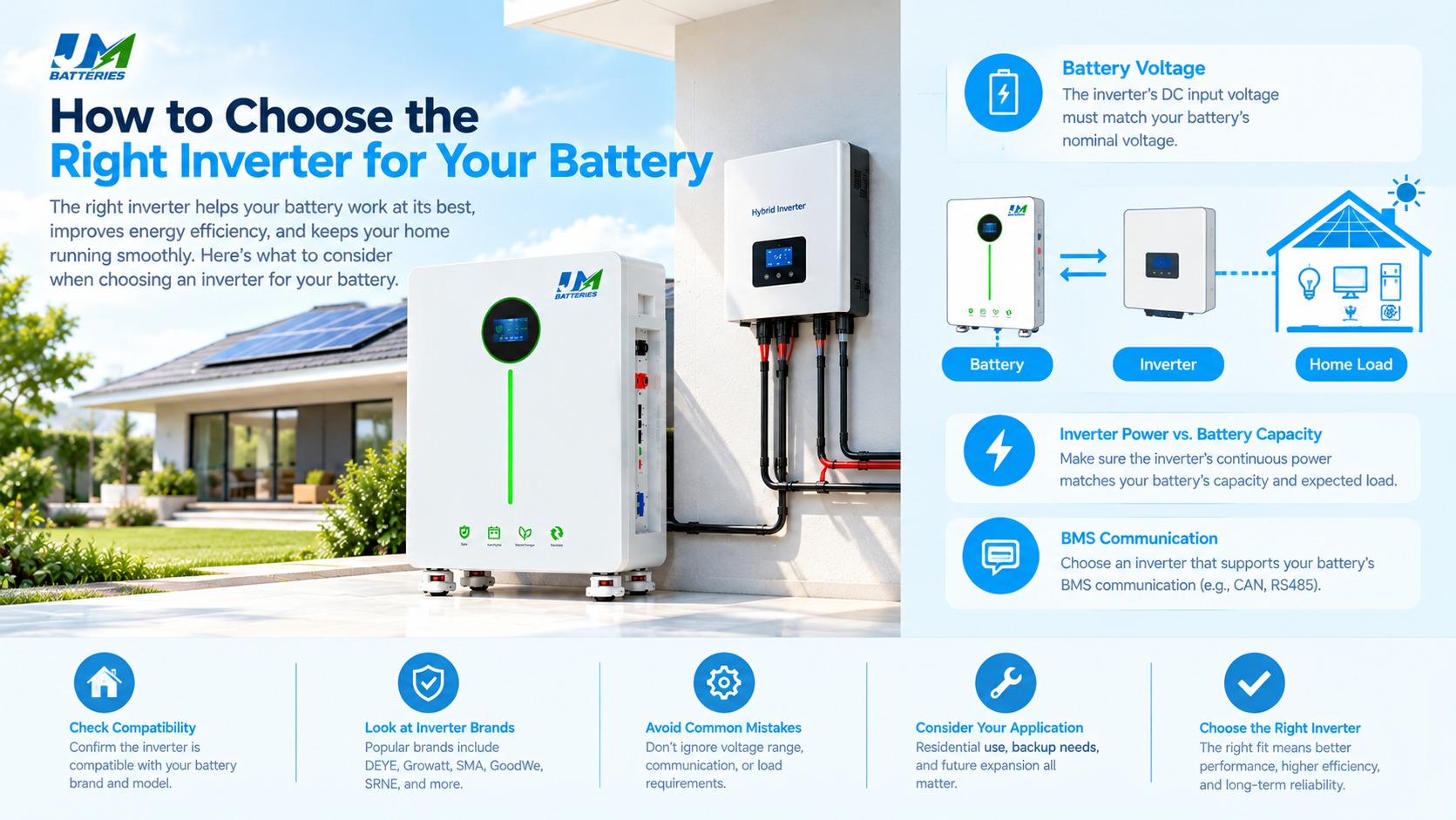
A short verification process before purchase can help avoid confusion later. It also gives distributors and installers a consistent way to review products from different suppliers.
Step 1: Identify the exact products
Record the full model numbers of the battery and inverter, along with relevant firmware or hardware versions where applicable. A general product-family name may cover multiple models with different capabilities.
Step 2: Compare the specifications
Use the battery datasheet, inverter datasheet, and installation manuals to compare voltage ranges, charging limits, discharge current, and power requirements. Check continuous and peak ratings separately, and note any duration restrictions.
Step 3: Confirm communication support
Where BMS communication is required, verify the protocol, cable arrangement, configuration, and firmware requirements. Consult the official compatibility list if one is available.
If the proposed combination is not listed, ask the relevant technical teams for confirmation. A matching connector or communication interface is not enough to establish compatibility.
Step 4: Obtain the recommended settings
Confirm the appropriate battery type selection, charging voltage, charging current limit, discharge settings, and communication mode. The values should be based on the documentation for the exact battery and inverter combination.
Step 5: Check the load requirements
Estimate the expected energy demand and identify the appliances that may operate simultaneously. Consider starting currents where relevant, as well as the required backup duration. The inverter must be suitable for the AC load, and the battery must be capable of supplying the corresponding DC power.
Step 6: Keep a record
Save the datasheets, written compatibility confirmation, selected settings, and commissioning records. These documents can help the installation team diagnose faults and support future orders using the same product combination.
For additional background, read our guide to hybrid inverter and LiFePO4 battery compatibility. Always check the exact models before applying any example settings to an installation.
10. FAQ
Why is battery and inverter compatibility important?
The battery and inverter must operate within suitable voltage, current, power, and communication limits. Checking these requirements helps reduce commissioning problems, unexpected shutdowns, and avoidable after-sales work.
Can a 51.2V LiFePO4 battery work with a 48V inverter?
It may work, but the voltage labels alone cannot confirm compatibility. Compare the inverter's supported DC voltage range with the battery's operating and charging limits, then check the required settings and model-specific compatibility information.
Do a battery and inverter need the same CAN or RS485 connection?
If the system relies on BMS communication, the devices must support compatible communication protocols and configurations. Sharing a CAN or RS485 interface does not necessarily mean that the devices can exchange information correctly.
How do I check whether my battery is compatible with my inverter?
Start with the exact model numbers. Review both manufacturers' datasheets and installation manuals, check the official compatibility list where available, and confirm voltage, current, communication, firmware, and configuration requirements. Ask for technical confirmation if the documentation is incomplete.
Can a higher-rated inverter damage a battery?
A higher inverter power rating does not automatically damage a battery. The key issue is whether the system controls charging and discharging within the battery's permitted limits and whether the battery can supply the required current. Follow the manufacturers' specifications when configuring the system.
Why does an inverter shut down while the battery still has charge remaining?
Possible causes include a low-voltage cutoff setting, a BMS protection event, excessive current demand, communication-related restrictions, temperature conditions, or wiring problems. Check the inverter alarms, battery status, voltage readings, and configuration before concluding that the battery is defective.
Does compatibility guarantee a longer battery lifespan?
No. Lifespan also depends on cell quality, temperature, depth of discharge, current, charging practices, and operating conditions. Correct compatibility and configuration help the system stay within the manufacturers' intended operating limits, but they cannot guarantee a particular service life.
What should a distributor request before ordering a battery and inverter?
Request the latest datasheets, installation manuals, supported model lists, communication protocol details, recommended settings, warranty terms, and technical support contacts. If a combination is not documented, obtain model-specific confirmation before placing a large order.
11. Final Thoughts
Choosing a battery and an inverter involves more than comparing price, capacity, and rated power. The two products must work within compatible voltage and current ranges, use suitable charging and protection settings, and communicate correctly when the system depends on BMS data.
For distributors, wholesalers, and installers, the most useful time to check these details is before the equipment is ordered. Reviewing the exact model numbers, technical documents, and communication requirements can help avoid unnecessary commissioning work and make later troubleshooting more straightforward.
When evaluating LiFePO4 batteries for residential energy storage, treat the battery and inverter as one system. Confirm the technical requirements with the relevant manufacturers and document the approved configuration before installation.
Looking for a Home Energy Storage Battery Supplier?
JM Energy Tech provides LiFePO4 battery solutions for residential energy storage applications. When evaluating a battery for your project, consider the intended inverter model, system voltage, required power, BMS communication method, and installation conditions.
Contact JM Energy Tech to discuss your home energy storage requirements and request the technical documentation needed for your project evaluation.
Technical References and Editorial Information
Technical references: Add the specific battery datasheets, inverter installation manuals, official compatibility lists, and communication protocol documents used to verify model-specific claims. Check that each reference is current and applicable to the products discussed.

JM New Energy Technology



Author: JM ENERGY
How to Match Battery and Inverter