


How to Match Battery and Inverter
How to Match Battery and Inverter: A Complete Guide
Choosing a battery and an inverter for a home solar energy storage system involves more than matching two products with similar voltage ratings. The battery must operate within the inverter's supported voltage range, supply enough continuous and peak power, communicate correctly with the inverter when required, and use compatible charging and protection settings.
A mismatch can lead to inverter alarms, unexpected shutdowns, reduced usable capacity, charging problems, or a system that cannot deliver its expected performance.
This guide explains how to check these requirements for residential solar and home backup systems, including LiFePO4 batteries and hybrid inverters.
Why Battery and Inverter Compatibility Matters
A battery stores energy, while an inverter converts DC electricity into AC electricity for compatible household loads. In a solar energy storage system, these components must work together within their electrical and communication limits.
The inverter determines how much power the system can convert and deliver. The battery determines how much energy is stored and how much current it can safely supply or accept. The battery management system (BMS) monitors the battery and may communicate operating limits to a compatible inverter.
Even when two products have similar nominal voltage ratings, they are not automatically compatible. Their actual voltage ranges, current limits, control settings, connectors, and communication protocols must also be considered.
For an overview of battery and inverter integration, see our guide to hybrid inverter and LFP battery compatibility.
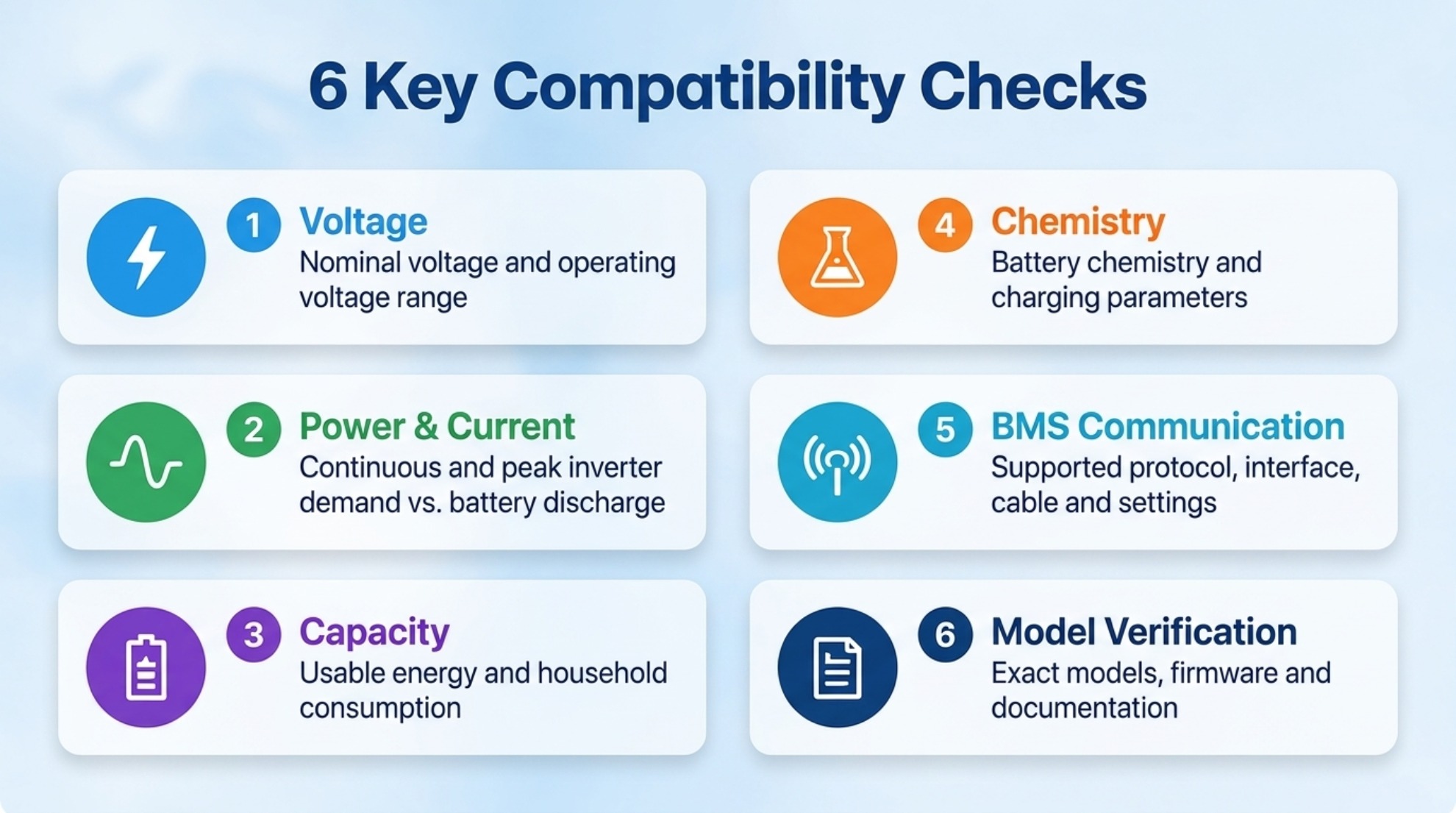
The 6 Key Compatibility Checks
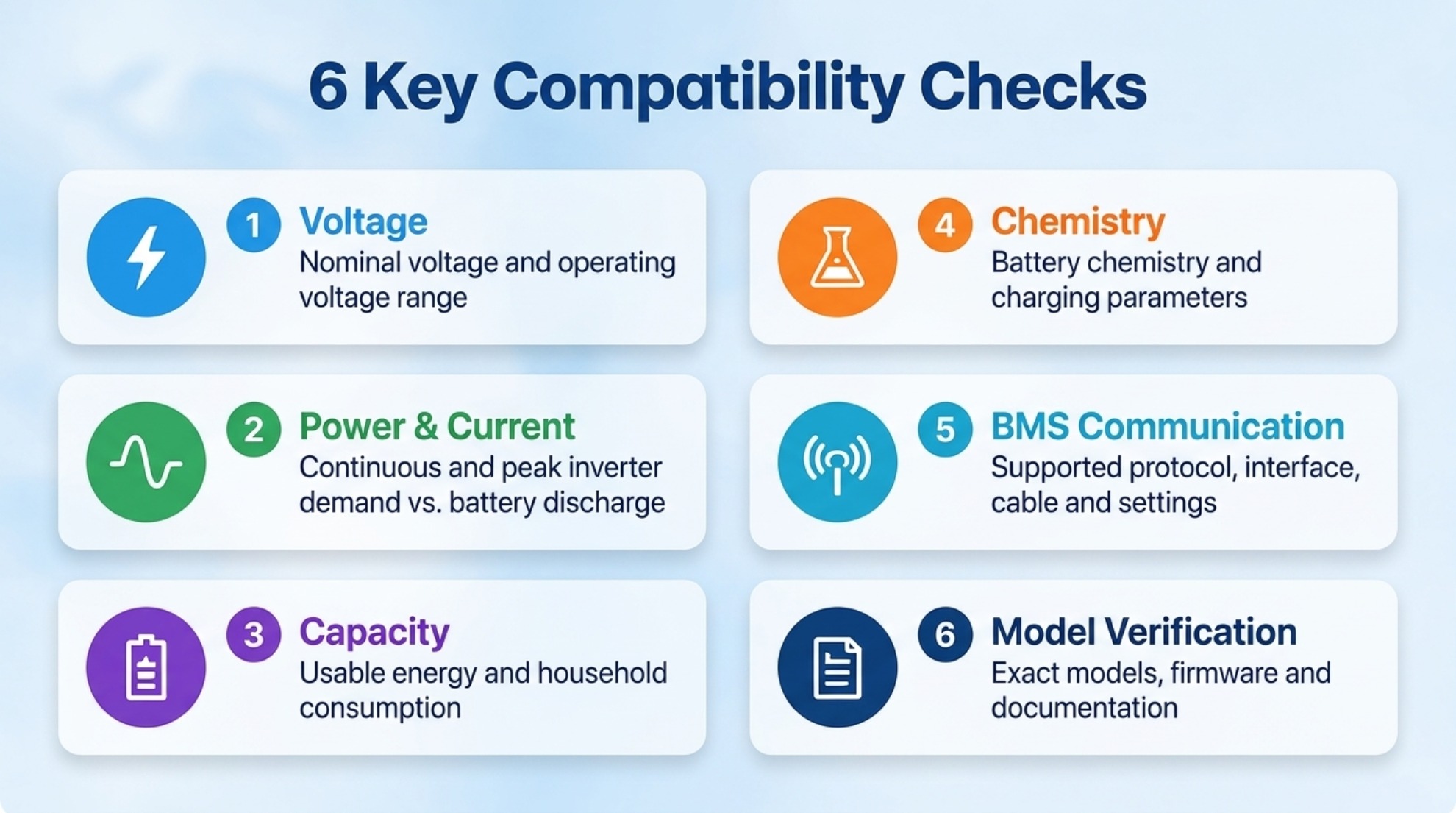
| Check | What to Verify | Why It Matters |
|---|---|---|
| Voltage | Nominal voltage and permitted operating voltage range | Prevents operation outside the inverter's supported battery input range. |
| Power and current | Continuous and peak inverter demand versus battery discharge limits | Helps avoid overloads, current-limit trips, and unexpected shutdowns. |
| Capacity | Usable battery energy and expected household consumption | Determines how long the battery can support the intended loads. |
| Chemistry | Battery chemistry and supported charging parameters | Ensures the charging and protection settings suit the battery. |
| BMS communication | Supported protocol, interface, cable, and inverter settings | Allows compatible equipment to exchange operating limits and status information. |
| Model verification | Exact battery and inverter models, firmware, and manufacturer documentation | Confirms compatibility beyond general voltage or brand-level assumptions. |
Step 1: Match Battery and Inverter Voltage
Voltage is the first compatibility check. The battery's nominal voltage must suit the inverter's battery system, and the battery's actual operating voltage must remain within the inverter's permitted DC input range.
Understand nominal voltage and operating voltage
Nominal voltage is a reference value used to describe a battery system. Actual battery voltage changes during charging and discharging.
For example, a common residential LiFePO4 battery configuration uses a nominal voltage of 51.2V and is often described commercially as a 48V-class battery. However, the nominal voltage alone does not establish compatibility with every 48V inverter.
The battery's full-charge voltage, lower operating limit, and permitted voltage range must be compared with the inverter manufacturer's specifications.
Check the inverter's supported battery range
Before connecting the battery, verify the following values in the product documentation:
- Battery nominal voltage supported by the inverter.
- Minimum and maximum battery DC voltage.
- Battery charging voltage settings.
- Low-voltage shutdown and restart thresholds.
- Any restrictions associated with a particular battery type or operating mode.
Do not rely only on labels such as "48V battery" or "48V inverter." Two products with the same nominal voltage may have different operating limits.
Can a 48V battery work with a 48V inverter?
It may work if the battery's operating voltage, charge settings, current limits, and communication requirements are supported by the specific inverter. Confirm compatibility using the manufacturers' documentation rather than nominal voltage alone.
Step 2: Check Inverter Power and Battery Current
The inverter's rated power and the battery's discharge-current limit must be considered together. A high-power inverter cannot necessarily draw its full rated output from a single battery.
Calculate the approximate DC current requirement
Battery current (A) = AC output power (W) ÷ (Battery voltage (V) × Inverter efficiency)
For example, assume a system needs to deliver 5,000W of AC power, the battery is operating at 51.2V, and the inverter efficiency is assumed to be 95% for this calculation.
Current ≈ 103A
This is an illustrative estimate, not a guaranteed operating value. Actual current varies with battery voltage, inverter efficiency, load characteristics, and operating conditions. Surge loads and inverter power limits must also be checked.
Compare the result with the battery's limits
Check the battery datasheet for:
- Maximum continuous discharge current.
- Permitted peak discharge current and its duration.
- Maximum continuous charging current.
- Temperature-related current restrictions.
- BMS overcurrent protection thresholds.
The battery must be able to supply the required current under the intended operating conditions. If the inverter can demand more current than the battery permits, the system may experience power limiting or protective shutdowns.
Do not ignore surge loads
Some household appliances draw more power when starting than during normal operation. Motors, pumps, compressors, and certain other loads may create short-duration surges.
Check the inverter's surge capability and duration, then verify that the battery and BMS can support the corresponding demand. Do not assume that an inverter's advertised peak power can be sustained continuously.
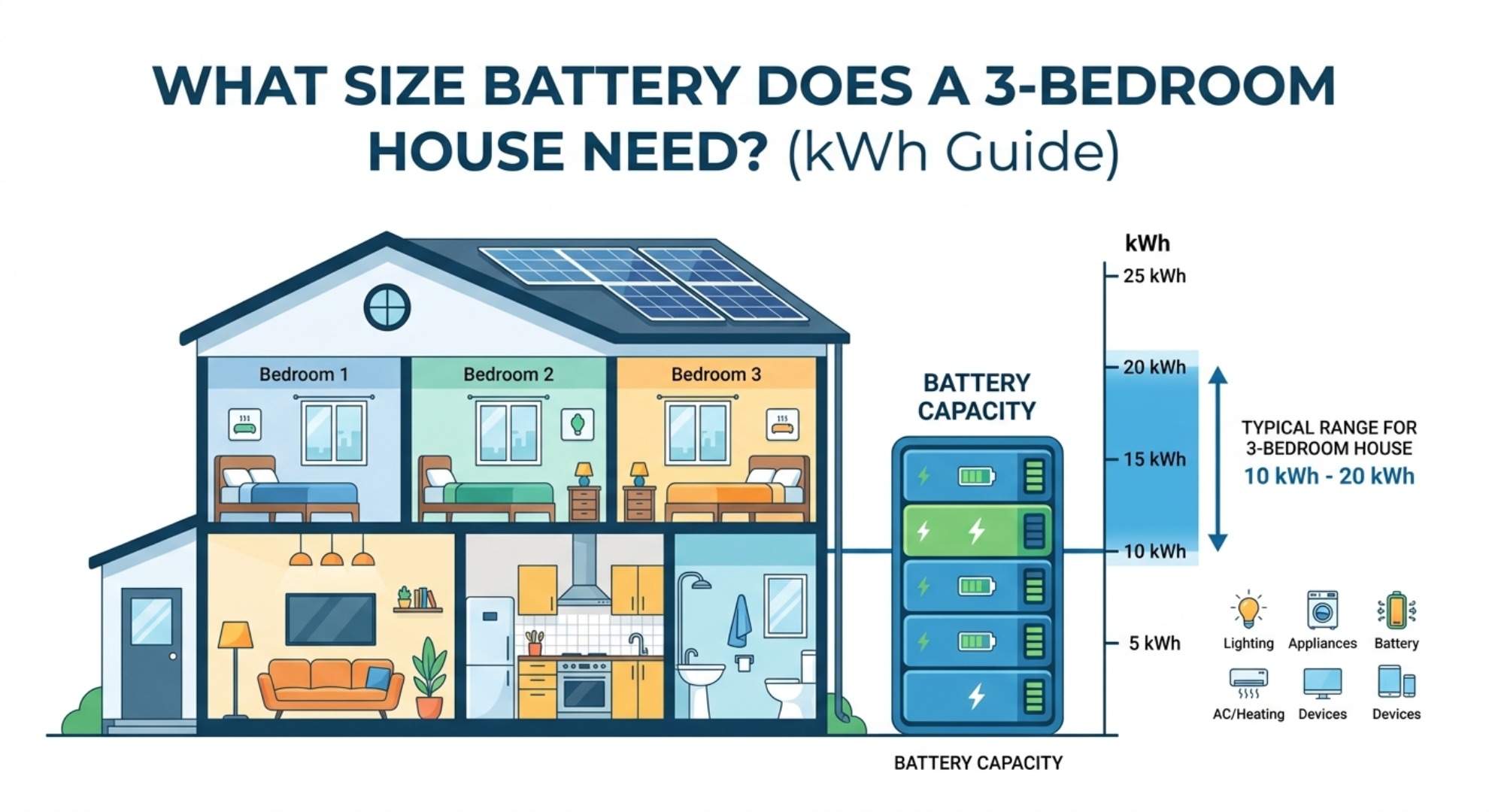
Step 3: Match Battery Capacity to Your Energy Needs
Voltage and current determine whether the system can operate electrically. Battery capacity determines how much energy is available over time.
Battery capacity is commonly expressed in kilowatt-hours (kWh), while inverter power is expressed in kilowatts (kW). These values describe different things: kWh measures energy, while kW measures the rate at which power is delivered.
Estimate usable battery energy
Usable energy (kWh) = Nominal battery energy (kWh) × Usable fraction
Actual usable energy depends on the battery's permitted depth of discharge, reserve settings, temperature, aging, and system losses. Use the manufacturer's specified usable capacity where available.
Estimate backup runtime
Runtime (hours) ≈ Usable battery energy (kWh) × Inverter efficiency ÷ Average AC load (kW)
Suppose a battery has 10kWh of usable energy, the assumed inverter efficiency is 95%, and the average AC load is 1kW.
Runtime ≈ 9.5 hours
This is a simplified estimate. Real runtime can be shorter because of standby consumption, changing loads, battery operating limits, temperature, and other system losses.
Choose capacity according to the loads you need to support
Start by listing the appliances that must run during an outage. Estimate their energy consumption and the number of hours they need to operate. Then choose a battery with sufficient usable energy and ensure that its power and current limits are suitable for the loads.
For a more detailed sizing method, read our guide to calculating the right kWh capacity for an energy storage system.
To explore residential battery options, visit our solar LiFePO4 energy storage battery page.
Step 4: Confirm Battery Chemistry and Charging Parameters
Battery chemistry affects charging limits, operating voltage, protection requirements, and how the battery should be managed. An inverter must support the selected battery chemistry and provide appropriate charging and discharging settings.
Matching a LiFePO4 battery with an inverter
LiFePO4 batteries are widely used in residential energy storage. However, not every inverter that supports a nominal 48V battery automatically supports every LiFePO4 battery model.
Check the following:
- Whether the inverter supports the battery's chemistry and voltage range.
- Whether charging voltage and current can be configured within the battery manufacturer's limits.
- Whether the inverter supports the required BMS communication method, if communication is used.
- Whether low-voltage cut-off, restart, and reserve settings are appropriate for the battery.
- Whether the battery manufacturer specifies any additional restrictions.
Do not copy charging parameters from another battery simply because it has the same nominal voltage. Always use the specifications for the exact battery model.
If you are comparing battery chemistries, see our article on LiFePO4 vs. lead-acid batteries for solar power.
Step 5: Check BMS Communication and Protocols
The battery management system monitors battery conditions and helps protect the battery from operation outside its permitted limits. Depending on the system, the BMS may also share information such as voltage, current limits, temperature, state of charge, and alarms with the inverter.
Why communication compatibility matters
When a system relies on closed-loop communication, the inverter and battery must support compatible protocols and configuration settings. A physical connection alone does not guarantee successful communication.
Two products may both offer CAN or RS485 interfaces but still use different communication protocols, message formats, pin assignments, or supported operating modes.
What to verify before connecting communication cables
- Whether the inverter supports the exact battery model.
- Which communication protocol and port are required.
- Whether a specified communication cable or pinout is required.
- Which battery type or communication profile should be selected in the inverter menu.
- Whether firmware versions or configuration updates are required.
- How the system indicates successful communication and battery status.
Follow the manufacturers' wiring diagrams and installation instructions. Do not assume that a cable with the correct connector will have the correct pinout.
Can a battery and inverter work without BMS communication?
Some combinations support a manufacturer-approved voltage-based operating mode without closed-loop communication. Others require communication for normal operation or specific features.
Do not assume that disabling communication is a safe workaround for a communication error. Use a non-communicating mode only when both manufacturers explicitly permit it and the required charging, discharging, and protection settings can be maintained.
For additional background on charging, see how to charge a lithium-ion battery.
Step 6: Verify the Exact Battery and Inverter Models
General statements such as "compatible with 48V inverters" are not enough to confirm that a particular combination will operate correctly.
Before purchasing or installing a system, check the exact model numbers in the latest manufacturer documentation.
Review the inverter documentation
- Supported battery chemistry and nominal voltage.
- Battery voltage range and charging limits.
- Maximum charging and discharging current.
- Supported BMS protocols and battery models.
- Firmware requirements and configuration instructions.
- Installation, grounding, overcurrent protection, and isolation requirements.
Review the battery documentation
- Nominal voltage and operating voltage range.
- Nominal and usable capacity.
- Maximum continuous and peak charge/discharge current.
- Permitted charging conditions and operating temperature range.
- BMS communication interfaces and supported protocols.
- Approved series or parallel configurations, if applicable.
When compatibility is uncertain, obtain written confirmation from the battery or inverter manufacturer before installation.
For product-specific information, review JM Energy Tech's solar LiFePO4 energy storage batteries and customized LiFePO4 storage pack solutions.
Four Illustrative Battery and Inverter Matching Examples
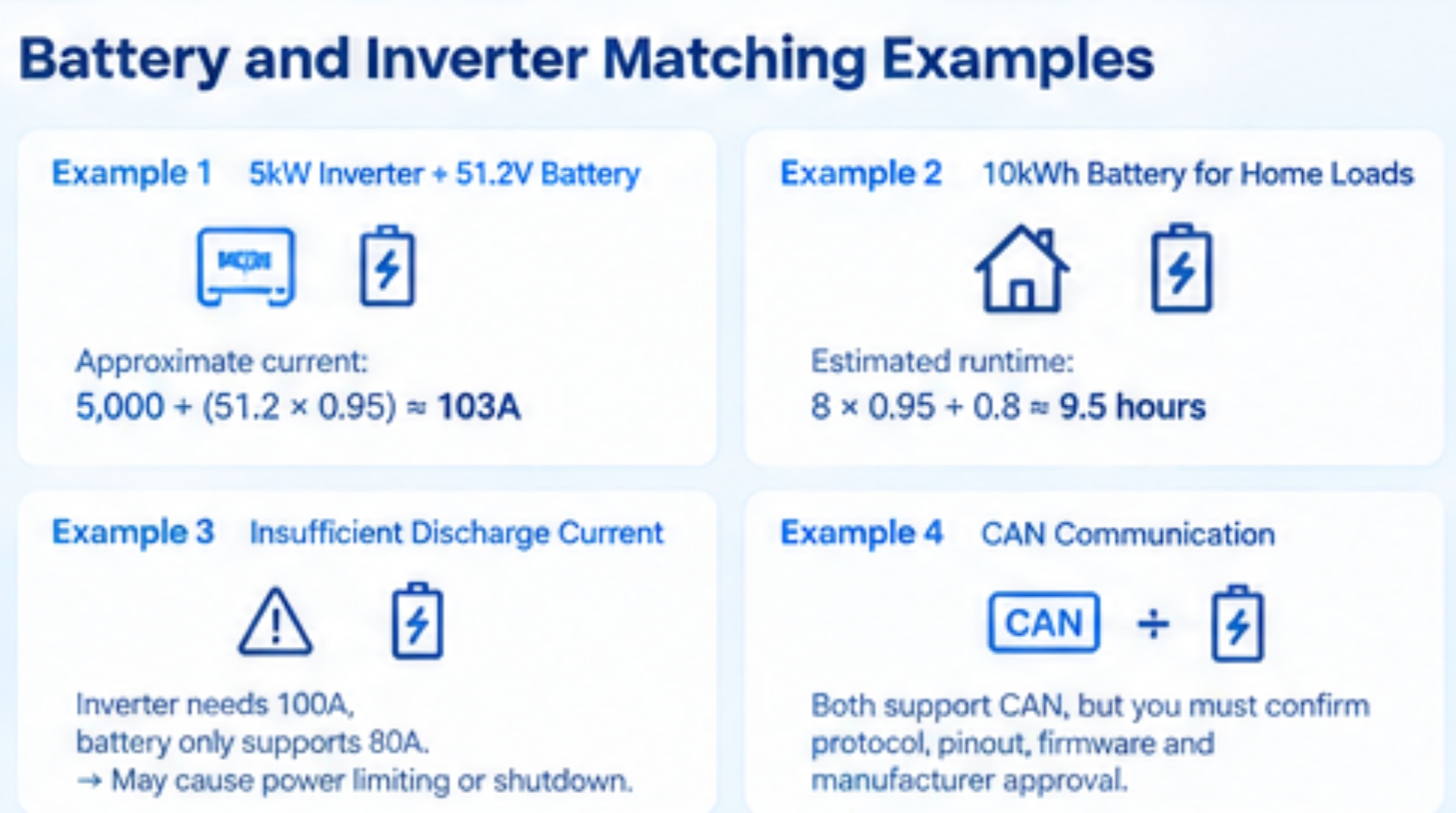
The following examples explain how to evaluate common residential scenarios. They are simplified calculations, not verified customer installations or confirmations of compatibility between specific commercial products.
Example 1: A 5kW inverter and a 51.2V battery
Assume a 5kW inverter is paired with a battery operating at 51.2V. If the inverter delivers 5,000W AC at an assumed 95% efficiency, the approximate battery current at that voltage is:
The next step is to compare this demand with the battery's continuous discharge-current rating, BMS limits, and permitted operating conditions. If the battery cannot safely supply the required current, the system may need a different battery configuration or a lower inverter output limit.
Example 2: A 10kWh battery for essential household loads
Assume a system provides 8kWh of usable energy after accounting for its operating reserve. If essential household loads average 800W, the simplified runtime estimate at an assumed 95% inverter efficiency is:
Runtime ≈ 9.5 hours
This estimate assumes a constant average load. Actual runtime will vary with appliance usage, battery conditions, and system losses.
Example 3: A battery with insufficient discharge current
Suppose an inverter may require approximately 100A from the battery at a particular operating point, while the selected battery permits only 80A of continuous discharge current.
That combination may not support the inverter's full output. Depending on the equipment, the system may limit power, trigger a BMS protection event, or shut down under heavy load. Confirm the permitted limits and determine whether a manufacturer-approved battery configuration can support the required current.
Example 4: A battery with CAN communication and an inverter with CAN
Having CAN interfaces on both products does not by itself prove compatibility. The exact battery model, inverter model, protocol implementation, pinout, firmware, and configuration must match the manufacturers' requirements.
Check the approved compatibility list and follow the specified communication settings. If the combination is not listed, request confirmation rather than assuming that the connection will work.
Common Battery and Inverter Matching Mistakes
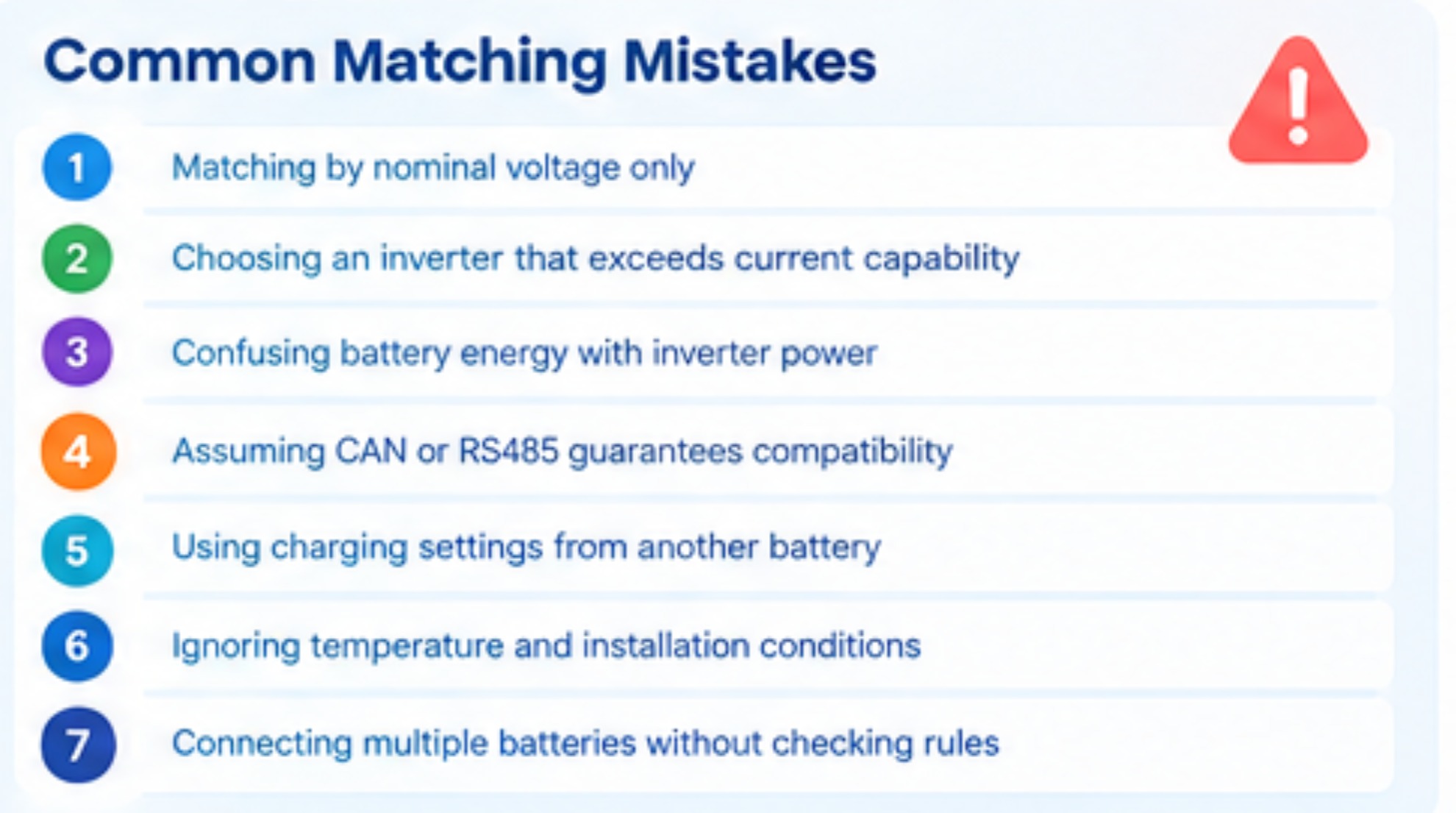
1. Matching products by nominal voltage only
Two products with the same nominal voltage can still have incompatible operating ranges or charging settings. Compare the full specifications.
2. Choosing an inverter that exceeds the battery's current capability
Inverter output power must be supported by the battery under the intended operating conditions. Check continuous current, peak current, and any BMS restrictions.
3. Confusing battery energy with inverter power
A battery's kWh rating describes stored energy, while the inverter's kW rating describes power conversion. A large battery may provide long runtime but still be unable to deliver a high instantaneous load if its current limit is too low.
4. Assuming CAN or RS485 guarantees compatibility
Communication interfaces are not universal compatibility guarantees. Protocols, wiring, firmware, and supported models must be verified.
5. Using charging settings from another battery
Do not copy charging parameters from a different model without confirmation. Incorrect settings can affect battery performance, protection behavior, and service life.
6. Ignoring temperature and installation conditions
Battery charge and discharge limits may change with temperature. Follow the battery manufacturer's operating limits and the inverter's installation requirements.
7. Connecting multiple batteries without checking configuration rules
When batteries are connected in parallel or series, verify that the manufacturer permits the intended configuration. Check the supported number of batteries, current sharing requirements, communication setup, cable sizing, and protection devices.
Troubleshooting Common Compatibility Problems
| Symptom | Possible Cause | Recommended Check |
|---|---|---|
| Battery not detected | Unsupported model, incorrect cable or pinout, wrong protocol, or incorrect settings | Check the approved compatibility list, wiring diagram, communication profile, and firmware requirements. |
| Inverter shuts down under load | Battery current limit, low battery voltage, overload, or BMS protection | Review inverter alarms, battery limits, load demand, and operating voltage. |
| Battery does not charge as expected | Incorrect charging settings, temperature limits, charge-current restrictions, or communication problems | Check battery specifications, inverter settings, BMS status, and the manufacturer's troubleshooting instructions. |
| State of charge appears inaccurate | Communication issues, configuration differences, or state-of-charge estimation behavior | Check the battery manufacturer's guidance and the inverter's supported state-of-charge reporting method. |
| System output is lower than expected | Battery current limit, inverter limits, temperature derating, or high load demand | Compare actual operating conditions with the continuous power, current, and temperature specifications. |
Do not bypass the BMS, defeat protection functions, or increase charging and discharging limits beyond manufacturer specifications to resolve a compatibility problem. If the cause is unclear, stop the affected operation and contact the equipment manufacturer or a qualified installer.
Battery runtime and long-term performance also depend on operating conditions. Learn more about how long a solar battery lasts.
Battery and Inverter Selection Checklist for Installers and Distributors
Use this checklist when evaluating a proposed residential energy storage combination.
- Confirm the exact battery and inverter model numbers.
- Verify that the nominal voltage and operating voltage ranges are compatible.
- Calculate the battery current required for the intended inverter output.
- Check continuous and peak charge/discharge current limits.
- Estimate usable energy and backup runtime from the actual household load profile.
- Confirm battery chemistry support and charging parameters.
- Verify the BMS protocol, cable pinout, communication profile, and firmware requirements.
- Check whether the combination appears on the manufacturer's compatibility list or has written manufacturer approval.
- Confirm installation, grounding, overcurrent protection, isolation, and cable requirements.
- Review warranty conditions, installation documentation, and available technical support.
For applications that require a specific configuration, review the available customized LiFePO4 storage pack options and confirm technical requirements with the supplier before placing an order.
FAQ
1. Can I use any 48V battery with a 48V inverter?
No. The nominal voltage is only one compatibility factor. You must also check operating voltage, charging parameters, continuous and peak current, battery chemistry, BMS communication, and the exact models supported by the manufacturer.
2. How do I know whether a LiFePO4 battery is compatible with my inverter?
Check the inverter manufacturer's approved battery list and compare it with the exact battery model. Confirm voltage range, charging limits, current capability, communication protocol, cable requirements, and firmware settings. Request manufacturer confirmation if the combination is not listed.
3. Does a higher-kWh battery need a higher-power inverter?
Not necessarily. Battery capacity in kWh describes stored energy, while inverter power in kW describes how much power can be delivered at a given time. Choose the inverter according to the required load and the battery according to the required energy and runtime, while ensuring both are electrically compatible.
4. Can I connect two batteries to one inverter?
Sometimes, but only if the battery and inverter manufacturers permit the proposed configuration. Check the supported battery count, parallel or series wiring rules, communication setup, current sharing, cable sizing, and protective devices before installation.
5. Why does my inverter fail to communicate with the battery?
Possible causes include an unsupported battery model, incorrect communication protocol, incorrect pinout, wrong inverter settings, firmware differences, or a wiring problem. Check the manufacturers' documentation and approved compatibility list rather than assuming that matching CAN or RS485 ports are sufficient.
6. Can I use an inverter without BMS communication?
Only when the specific battery and inverter support a manufacturer-approved operating mode without closed-loop communication. Follow the approved charging, discharging, and protection settings. Do not disable required communication or bypass safety protections to force the system to operate.
7. How much battery capacity do I need for home backup?
The required capacity depends on which appliances you want to run, their energy consumption, the backup duration, usable battery energy, and system losses. Estimate your daily or outage-period energy needs before selecting a battery. See our guide to calculating the right kWh capacity.
8. What should I check before buying a home energy storage battery?
Check usable capacity, nominal and operating voltage, continuous and peak current, battery chemistry, BMS features, communication compatibility, operating temperature limits, warranty terms, and installation requirements. Also confirm that the intended inverter model is supported.
Conclusion
Matching a battery and inverter requires more than choosing products with the same nominal voltage. Voltage range, current capability, usable energy, battery chemistry, BMS communication, and model-specific approval all affect whether a residential energy storage system can operate as intended.
Start with the inverter and battery datasheets, calculate the expected current and energy requirements, and confirm the exact combination with the manufacturers before installation. This process helps reduce avoidable compatibility issues and supports a safer, more reliable home energy storage system.
Looking for a Residential LiFePO4 Battery Solution?
Explore JM Energy Tech solar LiFePO4 energy storage batteries or review our customized LiFePO4 storage pack solutions.
For company information and product support, visit JM Energy Tech.
Technical note: This article provides general educational guidance. Actual compatibility depends on the exact battery and inverter models, their current documentation, firmware, installation design, and local electrical requirements. Always follow the manufacturers' instructions and use a qualified installer where required.
What Size Inverter for a 48V Battery? Sizing Guide